All Blogs

How to Make Aesthetic Google Slides?

How to Make Aesthetic Google Slides?

Are your Google Slides presentations feeling a bit plain? If you want to make them more visually appealing and grab your audience’s attention, creating aesthetic Google Slides can make a big difference.

How to Print Multiple Slides on One Page PowerPoint?

How to Print Multiple Slides on One Page PowerPoint?

PowerPoint is a powerful tool for creating presentations. It offers various options for printing slides in different formats. Whether you want to save paper, make notes on a hard copy, or organize your presentation more compactly, printing multiple slides on one page can be a great solution.  Let’s walk through how you can easily print […]

How to Outline Text in Google Slides?

How to Outline Text in Google Slides?

When creating a presentation in Google Slides, adding an outline to your text can be a simple yet effective way to make your slides more readable and visually appealing. Outlined text helps organize your content, making it easier for your audience to follow along.

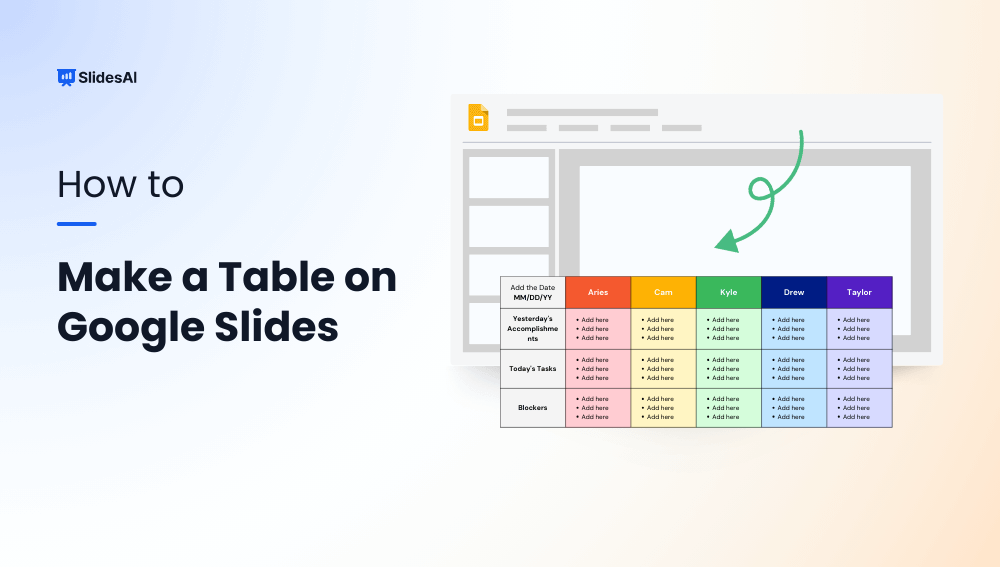
How to Make a Table on Google Slides?

How to Make a Table on Google Slides?

Google Slides is a handy tool for creating presentations and comes with many features to help you tell your story visually. One useful feature is the ability to create and customize tables. Tables are great for organizing and displaying data clearly, making them a useful addition to any presentation. In this guide, we’ll show you […]

How to Make a Flow Chart in Google Slides?

How to Make a Flow Chart in Google Slides?

Want to make your presentations more engaging and easier to understand? Adding flowcharts is a fantastic way to visually represent complex processes or sequences.

How Many Slides You Should Have Per Presentation?

How Many Slides You Should Have Per Presentation?

From 5-minute talks to hour-long sessions, discover how many slides you need for a presentation of any length. Learn the general thumb rule, and practical tips.

How to Make a Brochure on Google Slides?

How to Make a Brochure on Google Slides?

A brochure is a folded, printed document used for advertising or providing information. Whether you’re promoting a product, service, or event, a well-designed brochure can be a powerful marketing tool.

How to Print Multiple Slides on One Page in Google Slides?

How to Print Multiple Slides on One Page in Google Slides?

When preparing for a presentation, it’s often helpful to provide your audience with handouts that they can refer to during your talk. These handouts can serve as a visual aid, allowing attendees to follow along with your slides and take notes. One easy way to create these handouts is by printing multiple slides onto a […]

How to Play Google Slides on Loop?

How to Play Google Slides on Loop?

Creating presentations in Google Slides is becoming more and more popular. With its many features, even people who aren’t design experts can make professional-looking slideshows.
One of the cool things about Google Slides is that you can make your presentations play automatically. This means your slides will change and animate without you having to do anything. This can make your presentation look smoother and more polished.

How to Crop an Image in PowerPoint?

How to Crop an Image in PowerPoint?

Have you ever added an image to your PowerPoint presentation and found it filled with unnecessary background details? Cropping is a simple way to clean up your images, focusing your audience on the important parts that support your message.

Fixing Google Slides Error Rendering Shape

Fixing Google Slides Error Rendering Shape

If you see the “Error Rendering Shape” message while trying to insert an image into your Google Slides presentation, don’t worry! This is a common problem, but it can be fixed with a few simple solutions.

How to Add Bitmoji to Google Slides?

How to Add Bitmoji to Google Slides?

Google Slides presentations have become super common in classrooms, boardrooms, and casual presentations alike. They’re versatile, easy to use, and offer endless possibilities for creativity. One fun way to add a personal touch to your Google Slides is by incorporating Bitmojis. These customizable cartoon avatars are not just for social media; they can be a playful and engaging addition to your presentations.

How to Add Footnotes in Google Slides?

How to Add Footnotes in Google Slides?

In Google Slides, you might need to add footnotes to include extra information or citations. Although Google Slides doesn’t have a dedicated “footnote” feature like word processors, you can still add footnotes manually by inserting text boxes at the bottom of your slides. This guide will walk you through the steps to add footnotes to your Google Slides presentation. Let’s get started.

Different Types of Slides for Your Presentations

Different Types of Slides for Your Presentations

There are many different kinds of slides you can add to your presentations, each with its own purpose and advantages. By knowing the different types of slides and how to use them well, you can create interesting and informative presentations that will stick with your audience.

How to Highlight on Google Slides?

How to Highlight on Google Slides?

Highlighting text is a common technique used to emphasize key points or draw attention to specific information within a document or presentation. It helps improve readability and makes your content easier to follow. While Google Slides doesn’t offer a traditional highlighter tool like you might find in a word processor, it does provide a “Highlight Color” feature that allows you to color-code your text for emphasis.

How to Subscript and Superscript in Google Slides?

How to Subscript and Superscript in Google Slides?

Consider the iconic formula: E=mc², Einstein’s equation of relativity. It wouldn’t carry the same meaning if written as E=mc2, would it? While many use the simpler version because it’s well-known and won’t lead to confusion, the precise notation matters. This is where superscript and subscript come into play. Do you know how to use them in equations, trademarks, or footnotes in your presentations? Let’s explore how.

How to Save Images from Google Slides?

How to Save Images from Google Slides?

Need to reuse an image from your Google Slides presentation, but can’t find it on your computer? Don’t worry, there are a few ways to save the image directly from your Slides document. This guide will explain five simple methods for extracting images from your Google Slides presentation. This way, you can easily grab the […]

How to Add Voiceover or Narration on Google Slides?

How to Add Voiceover or Narration on Google Slides?

Adding a voiceover or narration to Google Slides helps you explain slides more clearly and make presentations more engaging. Although Google Slides does not have a built-in voice recorder, you can easily add narration by recording an audio file and inserting it into your slides. To add a voiceover to Google Slides, record your audio […]

How to Time Slides on Google Slides?

How to Time Slides on Google Slides?

To time slides in Google Slides, start your presentation and click the three-dot menu in the bottom-left corner. Choose Autoplay, select the desired time interval, and enable Loop if needed. For more control, use “Publish to web” under the File menu to automatically advance slides at a fixed interval. Timing your slides helps you deliver […]

How to Change Background on Google Slides?

How to Change Background on Google Slides?

Creating a presentation involves more than just the content you share. It’s also about how you present that information in a way that’s engaging and easy to follow. Visually appealing slides can hold your audience’s attention and make your message more memorable. One simple yet effective way to achieve this is by customizing the backgrounds of your slides in Google Slides.

How to Make a Google Slideshow Run Automatically?

How to Make a Google Slideshow Run Automatically?

Google Slides is a popular choice for creating presentations these days. It’s easy to use and lets you build, edit, and show slideshows that grab people’s attention. One way to make your presentations even more engaging is to set them to play automatically. This can keep things moving smoothly for your audience.

How to Bring an Image Forward in Google Slides?

How to Bring an Image Forward in Google Slides?

Pictures can be a great way to get your point across in a presentation. If you’re using Google Slides, a popular tool for making presentations, you can change how pictures are layered on top of each other. This can be helpful if you want one picture to stand out more than the others. This guide will show you the easy steps to do this in Google Slides. Without waiting further, let’s jump right into it. 

How to Make a Picture Transparent in PowerPoint?

How to Make a Picture Transparent in PowerPoint?

Visuals can really make presentations more interesting! Pictures, charts, and graphs can help break up text, keep viewers engaged, and make a memorable impression. But have you ever used an image where the background takes away from your message?

8 Ways To Make Interactive Google Slides

8 Ways To Make Interactive Google Slides

Google Slides lets you create presentations that are anything but boring. This guide unlocks the secrets to making your presentations interactive and dynamic, keeping your audience engaged from start to finish. We’ll walk you through everything you need to know, from clickable elements that jump to different sections to embedding multimedia that brings your content to life. Get ready to craft presentations that leave a lasting impression!